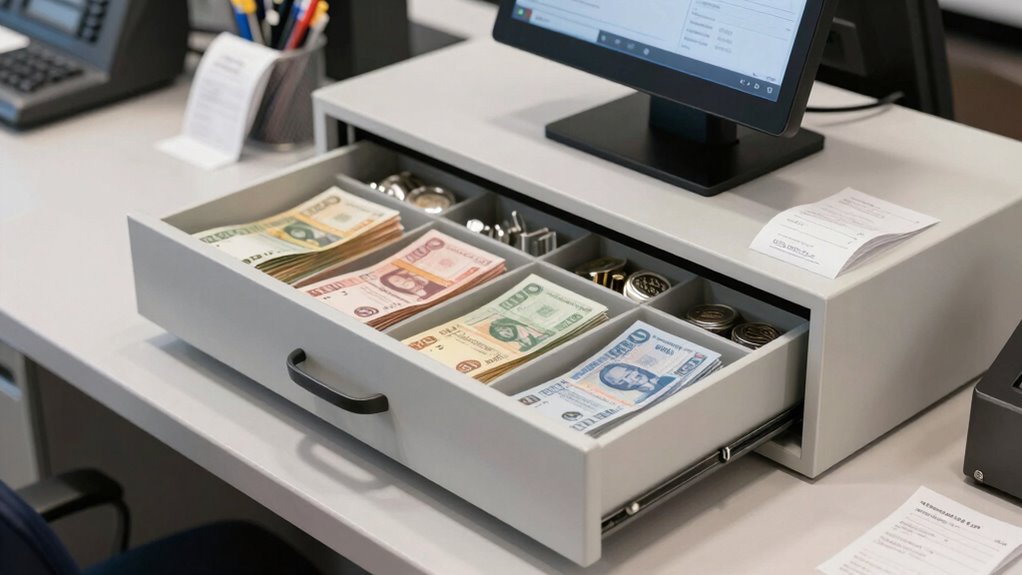

To prevent front-desk chaos, set up your cash drawers with a clear workflow, assigning each to specific staff and stations. Use reliable network connections to guarantee quick transactions, and restrict access to authorized personnel. Stock drawers with correct denominations and label them clearly for efficiency. Train your staff on proper operation and security protocols, and review processes regularly. Continuing this guide will help you optimize your cash management system even further.
Key Takeaways
- Assign dedicated cash drawers to specific registers or stations for streamlined transactions.
- Automate change calculations to minimize errors and speed up checkout processes.
- Restrict drawer access to authorized staff using secure login or badge systems.
- Stock drawers with correct denominations and clear labels to ensure quick cash handling.
- Provide staff training on proper drawer operation and conduct regular reviews for workflow adjustments.
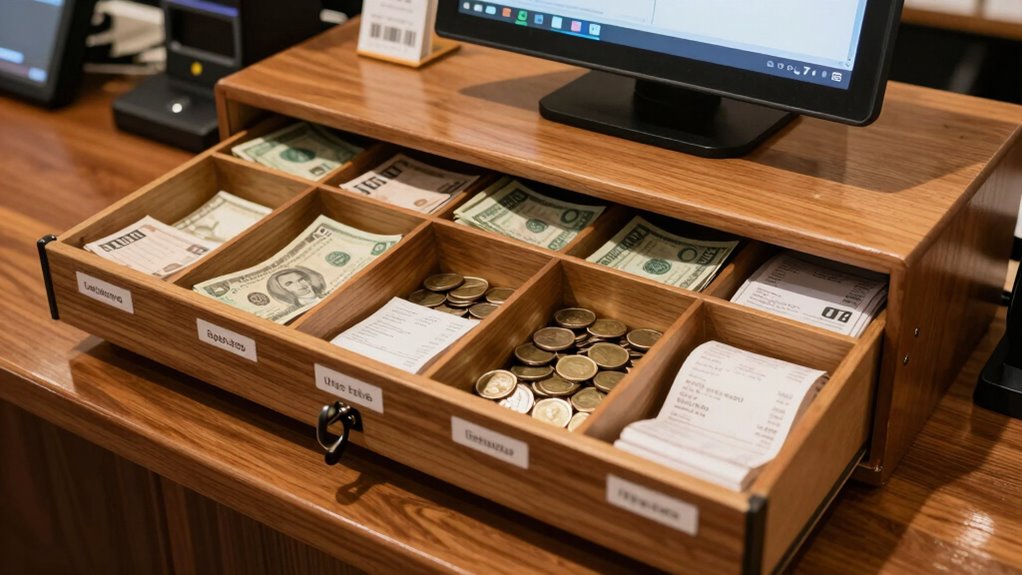
Have you ever wondered how to set up a cash drawer efficiently for smooth daily operations? The key lies in proper cash register configuration and establishing robust drawer security protocols. When you start your day, you want to guarantee that every transaction flows seamlessly, minimizing delays and reducing the risk of errors. Properly configuring your cash register isn’t just about plugging in the device; it involves setting up the system to recognize different tender types, assign cash drawers to specific registers, and automate functions like change calculations. This setup helps streamline sales and keeps your workflow consistent throughout the day. Additionally, understanding network cabling options can ensure your point-of-sale systems are connected reliably and securely, preventing connectivity issues that could disrupt transactions. One of the vital aspects of an efficient cash drawer setup is guaranteeing drawer security protocols are in place. You need to restrict access to cash drawers so that only authorized personnel can open or close them. Implement a system where each employee has a unique login or badge that grants access, and keep detailed logs of when drawers are accessed or emptied. This not only prevents theft but also provides accountability for cash handling. When you have clear security measures, you reduce the chances of mistakes or malicious activities that could disrupt your operations. Aligning your cash register configuration with your staff’s workflow is essential. For example, if you run a busy retail store, consider using multiple cash drawers linked to specific registers or stations. This way, each cashier can operate independently without waiting for a central drawer to free up. Make sure each drawer is stocked with the right denominations and labeled clearly, so transactions are quick and accurate. When your cash register setup reflects your business’s needs, you’ll notice fewer discrepancies and smoother checkouts. Training your team on how to use the cash register correctly is equally important. Show them how to handle different transactions, how to log out or switch users, and how to follow security protocols strictly. When everyone understands the setup and security procedures, it leads to fewer mistakes, faster service, and better cash management. Regularly review your configuration settings and security measures to adapt to changes in staffing or business volume.
Frequently Asked Questions
How Often Should Cash Drawers Be Recalibrated?
You should calibrate your cash drawer regularly, ideally once a month, to guarantee accuracy. Recalibration frequency depends on how heavily your cash drawer is used; more frequent use may require weekly checks. Keep an eye out for discrepancies or errors, and recalibrate immediately if needed. Proper cash drawer calibration prevents cash handling mistakes, streamlines your workflow, and keeps front-desk chaos at bay.
What Security Measures Protect Cash Drawer Access?
Ever wonder how you can keep your cash secure? You should implement strict access control measures like limited staff permissions, secure login credentials, and surveillance. Cash security relies on controlling who can open the drawer and when, reducing theft risks. By combining physical security with digital access controls, you guarantee only authorized personnel handle cash, preventing unauthorized access and maintaining a secure, organized front desk environment.
Can Cash Drawers Be Customized for Different Businesses?
Yes, cash drawers can be customized for different businesses. You can tailor cash drawer customization options to fit your specific needs, such as configuring compartments for various denominations or adding business-specific setups like branding or custom labels. This flexibility guarantees your cash handling process aligns with your operations, making transactions smoother and reducing errors. Customization enhances efficiency and security, giving you a tailored solution that works perfectly for your business.
What Are Common Signs of a Malfunctioning Cash Drawer?
You’ll notice your cash drawer malfunctioning if it’s not opening or closing properly, or if it’s stuck during calibration. Frequent misalignments or irregular cash counts can also signal issues. Confirm your security protocols are intact, and check if calibration needs adjustment. When these signs appear, address them promptly to prevent disruptions and maintain smooth transactions, keeping your front desk running efficiently and securely.
How Does Staff Training Impact Cash Drawer Efficiency?
You notice smoother transactions when staff competence improves, thanks to effective training programs. Well-trained employees handle cash drawer operations confidently, reducing errors and delays. This coordination prevents chaos at the front desk, ensuring quick, accurate service. Consistent training keeps everyone updated on procedures, fostering efficiency. When staff understands their roles, cash drawer management becomes seamless, creating a positive experience for both your team and your customers.
Conclusion
By setting up your cash drawer with a clear, organized workflow, you create a well-oiled machine that keeps chaos at bay. Think of your setup as the gears in a clock—when each part is in place, everything runs smoothly and on time. With these simple steps, you’ll prevent messes before they start, ensuring your front desk operates seamlessly. Keep the rhythm steady, and you’ll turn potential chaos into a calm, efficient flow.