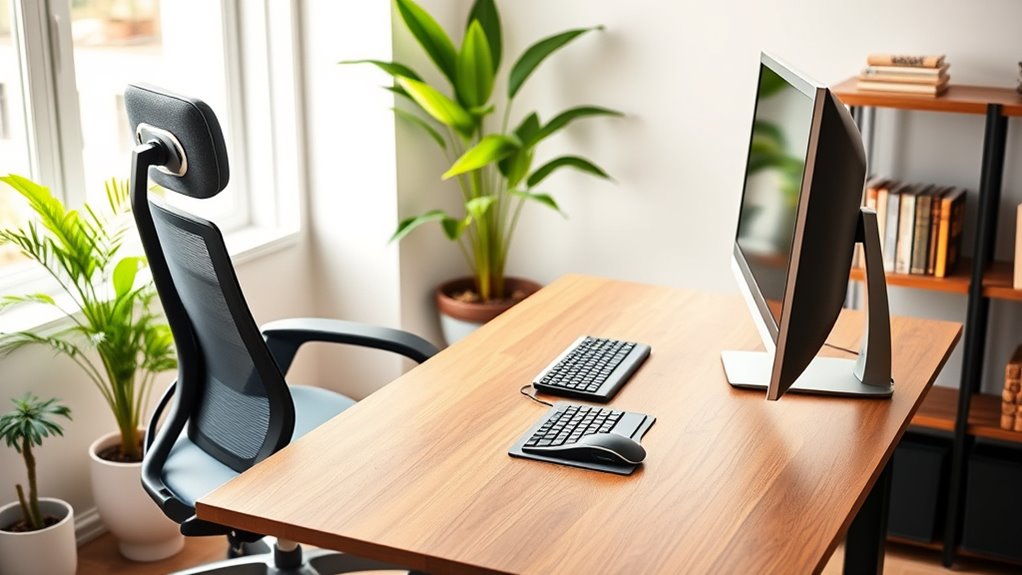

To optimize your home workspace, set your desk height so your elbows are at a 90° angle when typing, and use a chair that supports your lower back comfortably. Adjust your monitor so the top is at eye level, keeping it about an arm’s length away to reduce eye strain. Incorporate proper lighting to avoid glare and fatigue. Small tweaks like these can greatly enhance comfort and productivity—you’ll find even more tips as you explore further.
Key Takeaways
- Use an adjustable desk and chair to maintain elbows at 90° and keep wrists straight during work.
- Position your monitor at eye level, about an arm’s length away, to reduce neck and eye strain.
- Ensure your workspace is well-lit with natural or diffused lighting to minimize eye fatigue.
- Incorporate ergonomic accessories like monitor stands and keyboard trays for optimal posture.
- Regularly evaluate and adjust your setup to support comfort, reduce fatigue, and improve focus.
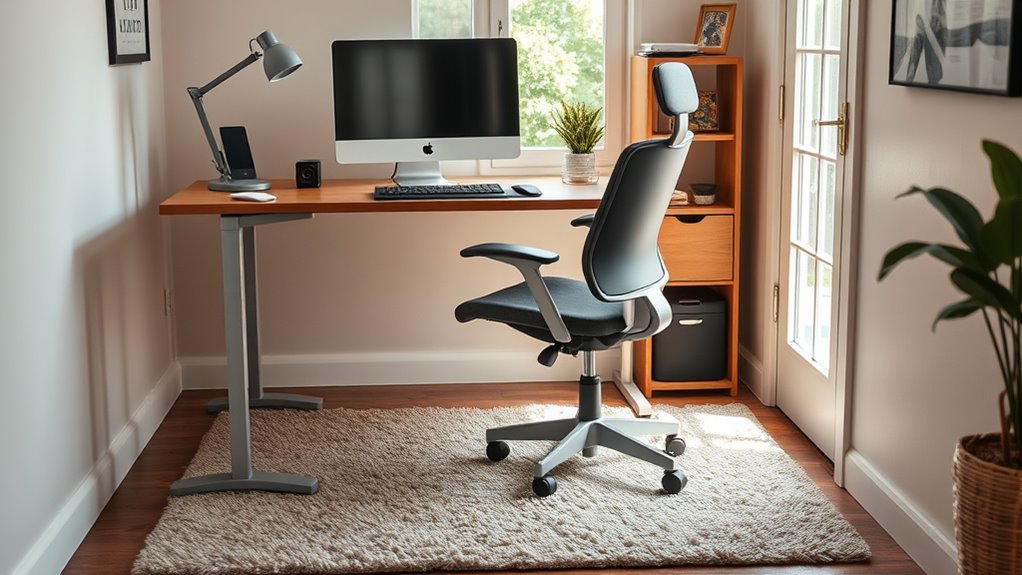
Ever wonder how your home workspace can impact your health and productivity? The way you set up your desk, chair, and screen can make a huge difference in how you feel during and after work. Small adjustments can prevent discomfort and boost your focus. One key aspect is keyboard positioning. You want your keyboard to be at a height where your elbows are bent at roughly 90 degrees, and your wrists stay straight. If your keyboard is too high or too low, you risk unnecessary strain on your wrists and forearms. Consider using a keyboard tray or adjusting your desk height so your arms are comfortably supported. Proper keyboard positioning isn’t just about comfort; it also prevents repetitive strain injuries like carpal tunnel syndrome, which can develop over time if ignored. Additionally, incorporating height-adjustable desks can help you easily switch between sitting and standing positions, promoting better ergonomics and reducing fatigue.
Proper keyboard height prevents strain and injuries, supporting comfort and health during work.
Lighting optimization is another essential factor. Poor lighting can cause eye strain, headaches, and fatigue. You should aim for a well-lit space that mimics natural light as much as possible. Position your desk near a window if you can, but avoid glare on your screen, which can be distracting and cause eye discomfort. If natural light isn’t available, supplement with adjustable LED or task lighting that provides even, diffused illumination. Keep in mind that harsh or uneven lighting can make it difficult to focus and lead to visual fatigue. Adjust your light source so that it doesn’t create reflections on your monitor and reduces the need to squint or strain your eyes.
Screen height is equally important. Your monitor should be at eye level or slightly below, so you aren’t tilting your neck up or down while working. Using a monitor stand or stacking books underneath your screen can help achieve this position. When your screen is at the correct height, you can maintain a neutral neck posture, reducing the likelihood of neck and shoulder pain. Keep your distance from the screen about an arm’s length away, and ensure the top of the monitor is aligned with your eye level. This setup minimizes eye strain and encourages good posture throughout the day.
Combining proper keyboard positioning, lighting optimization, and correct screen height creates an ergonomic workspace that supports your health and productivity. Small changes like adjusting your chair height, positioning your monitor correctly, and ensuring enough light can lead to significant improvements. Take the time to evaluate your setup, experiment with different arrangements, and refine your workspace regularly. When your environment is optimized, you’ll find it easier to stay focused, comfortable, and energized throughout your workday.
Frequently Asked Questions
How Often Should I Take Breaks During Long Work Sessions at Home?
You should take a break every 25 to 30 minutes during long work sessions. During these breaks, do stretching routines to relieve tension and improve circulation. Use hydration strategies by drinking water regularly to stay energized and focused. Stand up, move around, and stretch your arms, neck, and legs. These short breaks help prevent fatigue, promote better posture, and keep you productive throughout your workday.
What Are Signs of Poor Ergonomic Setup Affecting My Health?
If you notice posture issues or discomfort symptoms like neck pain, back aches, or frequent headaches, your ergonomic setup might be affecting your health. Poor ergonomics can cause strain on your muscles and joints, leading to fatigue and soreness. Pay attention to how your body feels during work. Adjust your chair, desk, or screen height to improve alignment and reduce these signs of poor ergonomics, promoting better comfort and health.
Can Ergonomic Furniture Improve Mental Well-Being at Home?
Investing in ergonomic furniture can boost your mental well-being at home. For example, a person who upgraded their chair and desk reported feeling less stressed and experiencing greater mental clarity. When your workspace supports good posture, it reduces physical discomfort, which in turn lowers stress levels. This creates a more focused, positive environment, helping you feel more balanced and productive throughout your day.
Are There Budget-Friendly Options for Ergonomic Home Office Equipment?
Yes, you can find affordable solutions for ergonomic home office equipment. Look for budget-friendly options like adjustable monitor stands or ergonomic cushions. You can also make DIY adjustments, such as using books to elevate your screen or creating homemade lumbar support with rolled towels. These simple, cost-effective tricks help improve your comfort and posture without breaking the bank, making your workspace more ergonomic and healthier.
How Do I Adjust My Desk and Chair for Different Tasks?
Imagine yourself shifting smoothly between tasks, feeling comfortable and focused. To do this, adjust your desk height so your elbows form a 90-degree angle when typing, and set your chair angle to support your lower back. For reading or brainstorming, tilt your chair slightly back or forward. These small tweaks help you stay productive and pain-free, no matter what you’re working on.
Conclusion
Remember, a comfortable workspace starts with small adjustments. Keep your desk, chair, and screen at the right height to prevent strain and boost productivity. Don’t wait until discomfort sets in—acting now saves you trouble later. As the saying goes, “A stitch in time saves nine.” By taking care of your ergonomics at home, you’re investing in your well-being and staying focused. Make these changes today, and enjoy a healthier, more comfortable workday.